A good social media strategy for a film comes down to four decisions: who the film is for, which one or two platforms they use, what you post to earn their attention, and what single action you want them to take. Make those choices first, then plan the calendar around them.
This guide walks through each decision, with tactics for the major platforms and a section on festival campaigns. For the wider picture of how social fits into release planning, see the film marketing and distribution guide and the list of indie film marketing strategies.
Start with your audience, not the platform
Describe the person you are making the film for in a few lines: what they watch, what they follow, what communities they belong to, and what they would share. A sci-fi fan who follows concept artists on Instagram, a documentary viewer who listens to a history podcast, and a teen horror fan on TikTok will each need a different approach.
Do not guess when you can look. Check who engages with similar films and filmmakers, which hashtags and communities they use, and what content gets saved and shared. Your own early followers are data too. Once you have an account running, the built-in analytics on each platform show the age range, location and active times of the people watching.
Geography matters less than it used to, but language and release territory still do. If you are targeting a specific country or region for festivals or theatrical, make sure your posts, captions and hashtags speak to it.
Set goals that match the stage of your film
Followers are a vanity metric unless they turn into something. Match the goal to the phase of the project:
| Phase | Goal | How to measure it |
|---|---|---|
| Development and production | Build a core audience | Email signups, followers who engage |
| Post-production | Grow anticipation | Trailer saves, shares and comments |
| Festival run | Fill seats and get press | Ticket link clicks, press mentions |
| Release | Drive viewing | Clicks to the streaming or ticket page |
Pick one primary goal per phase. If you try to grow followers, sell tickets and get press all at once, none of it gets done well. Whatever the goal, send people to a place you own, ideally a mailing list. Followers can vanish when a platform changes its rules, and email does not.
Choose platforms based on format and audience
You rarely need to be on every platform. Choose one primary platform and one secondary, and do them well.
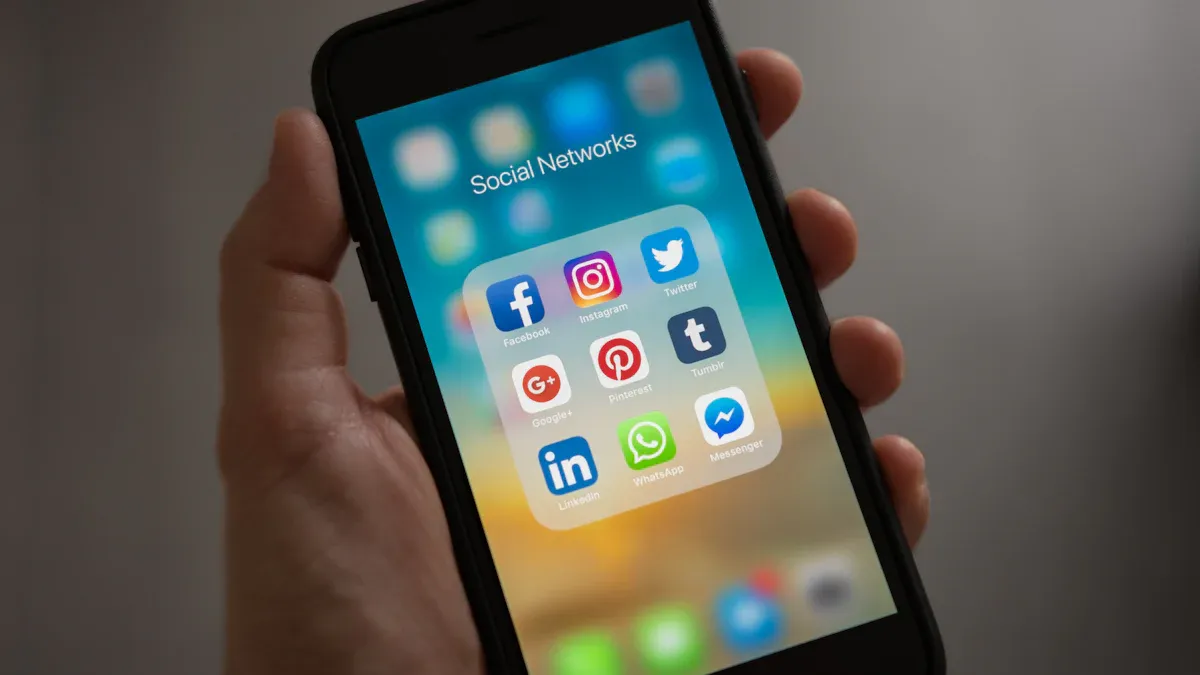
Instagram works for visuals: stills from the film, poster reveals, behind-the-scenes photos and short vertical Reels. It is a good home for film and photography communities. Use the grid for polished frames, Stories for day-to-day updates, and Reels for clips that can reach new viewers. Collaborate posts, where another account co-owns the post, let you share an audience with a cast member or festival.
TikTok
TikTok rewards short, human videos. For a small film, the best content is the process: a prop build, a stunt rehearsal, a fan reaction, the cast reading a funny line. Cut your trailer into vertical teasers and use captions, since many viewers watch with sound off. Your posts can reach people who do not follow you, which makes TikTok useful for discovery, but results are uneven, so test several formats.
YouTube
YouTube is the home of the trailer, long-form behind-the-scenes and making-of videos, and director commentary. It is also searchable, so a well-titled video can keep finding viewers for years. Use Shorts for vertical clips that point to the full trailer. Put your release link or mailing list in the description and the pinned comment.
X and Facebook
X (formerly Twitter) is useful for film critics, festival programmers and filmmaker communities, and for real-time announcements like a festival selection. Facebook is worth it if your audience skews older or you can build around a group or an event page for a screening. Neither needs daily posts from a small team. Use them to announce news, answer questions and link to your main channels.
Plan the content: three types that work
Trailers and teasers
The trailer is the anchor of your social campaign. Release it in pieces: a 10 to 15 second teaser to announce the project, a vertical cut for Reels, TikTok and Shorts, and the full trailer on YouTube and your site. Each cut should work without sound, so add burned-in captions.
Behind-the-scenes content
Process content is the cheapest and most reliable way to build an audience for a small film. Show the work: a location scout, a makeup effect, a rehearsal, a gaffer rigging a light. People who see how hard a scene was to make feel invested in the result. Film some of it while you shoot, even with a phone, because it is hard to recreate later.
Cast, crew and community posts
Introduce the people. A short post with the director talking about why they made the film, a cast member sharing a favorite memory from set, or a thank-you to the crew gives your audience faces to root for. Ask questions in captions and answer comments. A small film cannot out-spend anyone, but it can be more personal than any studio.
Build a content calendar around milestones
A calendar keeps you from posting only when you have news. Plan a few fixed posts per week, then add milestones as they arrive:
- Project announcement and logline
- Casting reveals
- First look still or poster
- Production updates and behind-the-scenes
- Wrap and thank-you to the crew
- Teaser release
- Festival selection or screening announcements
- Trailer release
- Release date and where to watch
Two to four posts a week on your main platform is realistic for a small team. Batch your content: spend an afternoon shooting and editing several posts, then schedule them with a tool such as Buffer, Later or Meta's own planner. Check your analytics for the times your audience is active rather than relying on general posting-time charts, which vary widely.
Social media for film festivals
A festival run is the best time to use social media, because you have news, a date and a reason for people to show up. Here is a simple plan:
- Announce your selection. Tag the festival, your cast and crew, and share the screening time with a ticket link. Pin it.
- Build a countdown. Post a trailer, a poster and a quote from the film in the weeks before. Share a short note on why you made the film.
- Post during the festival. Share photos from the red carpet or theater, a clip of the Q&A and thank-yous to the audience. Tag attendees who post about you.
- Use the festival's own channels. Festivals often reshare filmmaker posts. Follow and tag their accounts and use their official hashtag.
- Follow up. Within a few days, post a thank-you and invite people to join your mailing list so they hear about the next screening or release.
If you are weighing festivals, the indie film marketing strategies guide explains how to choose ones that fit your film.
Community and fan content
Reply to comments and messages, especially in the first hours after a post. Ask questions that invite replies, like "which scene should we show next?" Run a live Q&A with the director or a cast member on Instagram or YouTube. Reshare fan art, reactions and reviews, and credit the creators. People who feel seen become the ones who tell their friends.
Feedback can change a film. The best-known example is Sonic the Hedgehog: after the first trailer in April 2019 drew heavy criticism over the character's look, Paramount and the director announced a redesign and delayed the release from November 2019 to February 2020. You will not have that budget, but you can use comments the same way, to learn what confuses or excites people before you spend more.
Paid ads: when and how
Start organic. Paid ads make sense once you have a trailer, a clear audience and a destination such as a ticket page or signup form. Use Meta Ads Manager to run ads on Instagram and Facebook, and the ad tools for TikTok, YouTube and X as needed.
- Test small. Run two or three creative variations at a modest daily budget for a week.
- Target by interest and lookalikes. Interests tied to similar films, directors and genres often work well. If you have an email list, you can build lookalike audiences from it.
- Measure cost per action. Track cost per signup or per ticket-link click, not likes.
- Cut what loses. Put more budget behind the ad that converts and stop the rest.
Billing, ad formats and targeting options change often, so check each platform's current help pages before you build a campaign.
Measure, review and adjust
Check your numbers once a week. Look at reach, saves, shares, comments and profile visits on each post, then at what happens next: link clicks and signups. Saves and shares usually signal content people value, while likes alone are a weak signal.
Ask three questions in each review:
- Which posts earned the most saves, shares and signups?
- Which platform sent the most people to my mailing list or ticket page?
- What should I do more of, and what can I drop?
Platform analytics are free and usually enough. Add UTM tags to links so you can see in Google Analytics which platform sent each visitor. Use what you learn to plan the next four weeks.
Use social media to support, not replace, a real plan
Social media makes a film visible, but it works best alongside other channels: a website and email list, press, festivals and live screenings. The campaign for Barbie and Oppenheimer in July 2023, which turned into the shared "Barbenheimer" moviegoing event, was fueled in large part by audiences posting memes and planning double features, which shows how a social moment can build attention you cannot buy. You cannot plan a viral moment, but you can make the film easy to talk about: a strong poster, a clear hook, a trailer people want to send to a friend.
Pick your platforms, set one goal, and post consistently. Then review the numbers and adjust.
Frequently asked questions
How do you market a film on social media?
Pick the platforms your audience already uses, post a steady mix of behind-the-scenes clips, trailer cuts and cast or crew moments, and send people to one place such as a mailing list or a ticket page. Track what earns saves, shares and signups.
Which social media platform is best for promoting a film?
There is no single best platform. Instagram and TikTok suit short vertical clips and younger audiences, YouTube suits trailers and longer making-of content, and X and Facebook work for news, community groups and event pages.
How should a film use social media at a film festival?
Announce your selection, post the screening time with a ticket link, share clips and photos during the festival, and tag the festival, cast and crew. Afterward, thank the audience and point people to your mailing list.
How often should a film post on social media?
Consistency matters more than volume. Two to four good posts a week on your main platform is realistic for a small team, and it is better to post less often than to burn out before release.
How much should an indie film spend on social media ads?
Start with a small test budget on one platform and measure cost per signup or view. Scale only what works, and keep spending tied to a clear action like a ticket purchase or a streaming link.