Disclosure: this post contains affiliate links. As an Amazon Associate I earn from qualifying purchases, at no extra cost to you.
Handheld cinematography puts the camera in the operator's hands, so it moves like a person: urgent, imperfect, present. Stabilized cinematography uses a tripod, gimbal, Steadicam or dolly to keep the image controlled and smooth. Use handheld when the audience should feel inside the moment, and use stabilized shots when they should observe it.
Most good films use both. The skill is in knowing which one the scene needs and executing it well, because a bad version of either one pulls viewers out of the story. If you are still working out the full range of options, our guide to camera movements in cinematography covers pans, dollies, cranes and more.
What handheld cinematography does for a scene
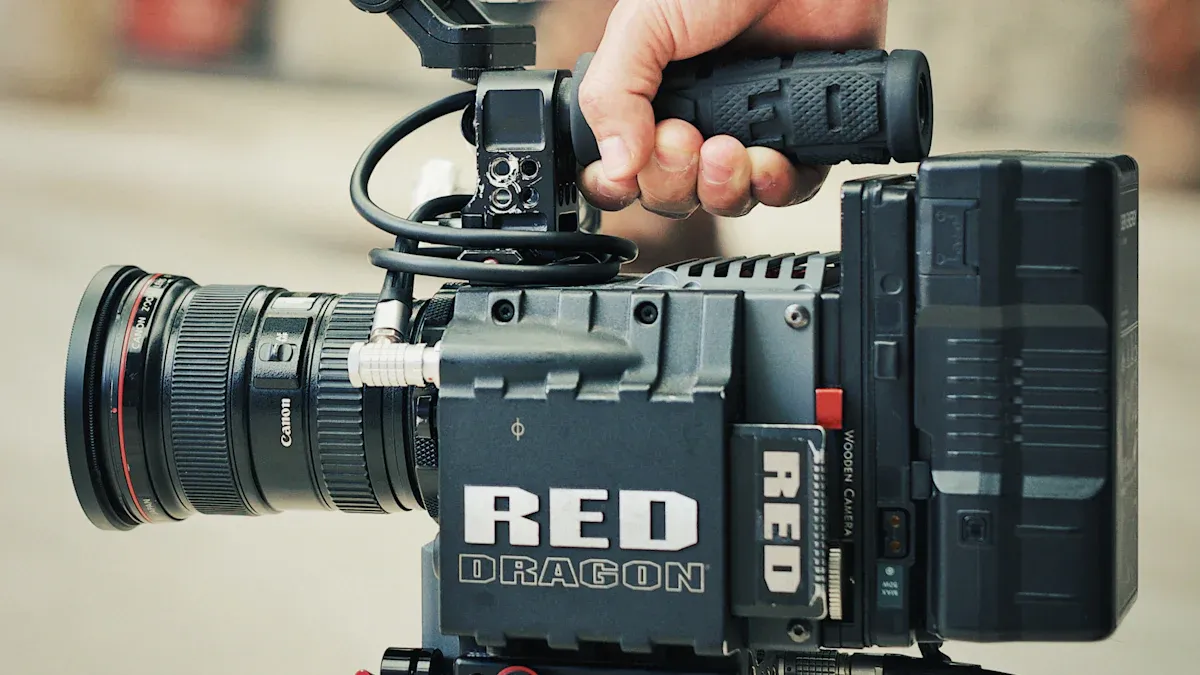
Handheld cameras are never perfectly still, and that is the point. The slight sway reads to the audience as a human presence, as if someone is standing in the room. That is why handheld is the default for documentaries and a go-to for chases, arguments and anything that should feel unsafe.
Some well-known examples:
- Saving Private Ryan (1998): the Omaha Beach landing is shot with handheld cameras and a narrow shutter angle, which makes the explosions feel sharp and chaotic.
- The Bourne Ultimatum (2007): director Paul Greengrass built the whole film around handheld energy.
- Cloverfield (2008): the entire story is told as if through a character's camera.
Strengths
- Speed. You can move in seconds, react to actors and find new angles without re-laying track.
- Small footprint. No dolly, no track, no big kit. That is a big deal on a guerrilla shoot where you cannot take over a location.
- Intimacy. A close handheld shot on a face feels like standing next to the person.
Weaknesses
- Fatigue. Holding a camera at chest height for a long day tires your arms and back, and tired operators shake more.
- Inconsistency. Takes will not match exactly. That can be a problem in cutting and with visual effects.
- Distraction. If the shake does not match the mood, viewers notice the camera instead of the scene.
What stabilized cinematography does for a scene
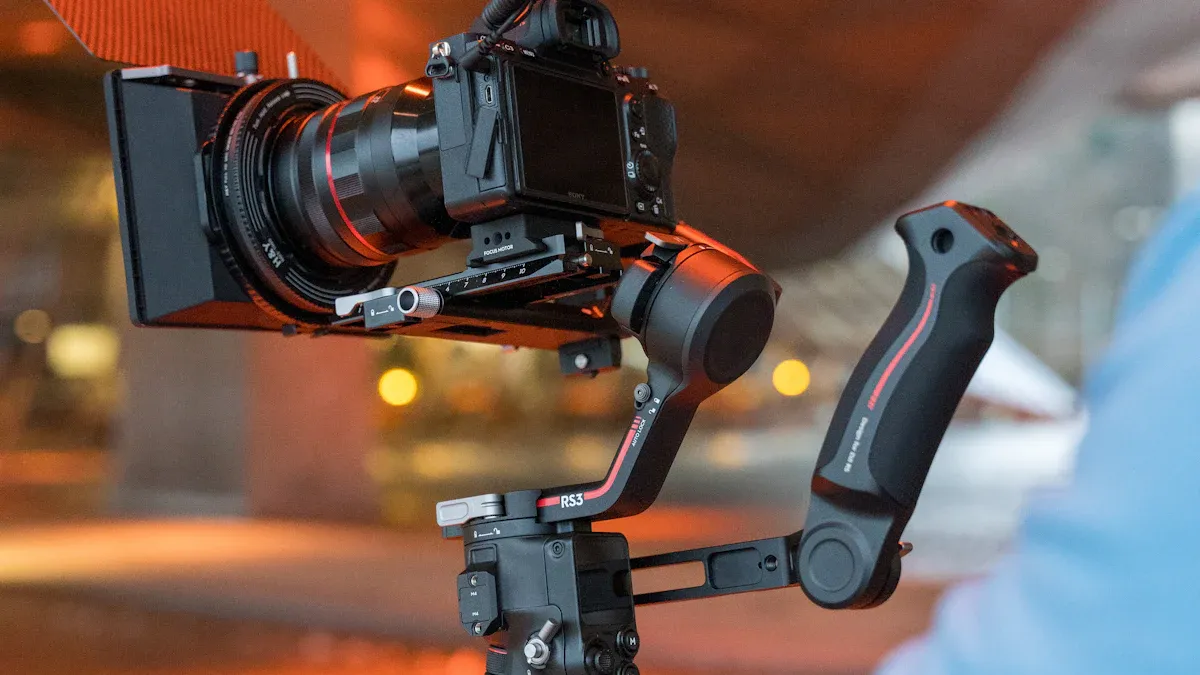
Stabilized shots feel composed and in control. The audience senses that someone planned this frame, which suits romance, drama, thrillers with a cold tone and anything that should feel formal.
The main tools:
| Tool | Best for | Tradeoffs |
|---|---|---|
| Tripod | Static frames, pans and tilts | No travel, setup time |
| Dolly or slider | Smooth, short, controlled moves | Needs track or smooth ground |
| Gimbal | Floating tracking shots, vehicles, quick setups | Can look weightless, battery and balance issues |
| Steadicam | Long takes where the camera walks with the actors | Heavy, costs a skilled operator |
| Shoulder rig | Semi-stable handheld for long takes | Still shows body movement |
The Steadicam was invented by Garrett Brown and popularized by Rocky (1976), where the camera follows Rocky up the Philadelphia Museum of Art steps, and by The Shining (1980). More recent examples include the long single-take staging of 1917 (2019), which uses a mix of stabilized tools to follow two soldiers across a battlefield.
Strengths
- Clean, repeatable coverage. It is easier to match takes and to cut between angles.
- Cleaner effects work. Tracking shots with visual effects are easier when the camera is steady.
- Less operator strain. A good rig carries the weight.
Weaknesses
- Cost and time. Even a cheap gimbal needs balancing, and a dolly needs rigging.
- Less spontaneity. Re-blocking a scene on the fly is harder.
- A sterile feel if used for scenes that need messiness.
Handheld vs stabilized: how to choose
Ask three questions.
- Where should the audience feel they are? Inside the moment (handheld) or watching it from a distance (stabilized)?
- What is the emotion? Anxiety, urgency and chaos favor handheld. Calm, awe and elegance favor stabilized.
- What can your crew and schedule handle? A planned Steadicam shot can eat half a day. A handheld shot can be repeated quickly.
Some quick rules:
- Chase, fight, panic: handheld, with a fast shutter if you want the sharp, jittery look, or a wider lens for more stability.
- Interview or documentary: handheld for roaming B-roll, tripod for the sit-down.
- Dialogue scene: locked off or a slow slider move.
- A character walks and talks: gimbal or Steadicam, or a shoulder rig if you want it a bit rough.
- Big reveal: crane, drone or a slow push-in.
You can also blend them. Many directors start a scene stable and switch to handheld when the characters lose control, which tells the audience something has changed without a line of dialogue.
How to steady handheld footage
If your handheld shots look nauseating instead of intentional, work through these in order.
1. Fix your stance and grip
- Stand with feet shoulder width apart, knees slightly bent.
- Tuck your elbows into your ribs. Your torso is the tripod.
- Hold the camera with both hands and keep it close to your body. At arm's length, every tremor is magnified.
- Use the viewfinder instead of the rear screen if you can, because pressing the camera to your face gives you a third point of contact.
2. Walk like a cat
Keep your knees bent and roll your feet heel to toe. This is sometimes called the "ninja walk". It lets your legs act as shock absorbers so the camera does not bounce with each step.
3. Use a wider lens
A wide lens hides shake. At 24mm, small movements barely register. At 85mm, the same movement looks violent. If you need a tight shot, move closer with a wider lens rather than zooming in.
4. Add support
- Shoulder rig: moves the weight onto your shoulder and gives two or three contact points.
- Neck strap or camera strap: pull the camera against the strap for tension.
- Monopod: takes the weight and adds a point on the ground.
- Wrist or support handles: make it easier to hold the camera steady.
5. Turn on stabilization
Most modern mirrorless and cinema cameras have in-body image stabilization (IBIS), and many lenses have optical stabilization. Some cameras add an electronic mode that crops in a little further. These modes help, but they will not fix bad technique. Turn them on for handheld, off for tripod.
6. Shoot with extra room
Leave space around your subject. Electronic stabilization and post-production stabilization both crop the frame, so you need the extra picture.
7. Clean it up in editing
The warp or stabilization tools in editing apps can calm down shake after the fact. DaVinci Resolve and Premiere Pro both have stabilizers. Use them lightly, because heavy stabilization creates a floating, wobbly look and can warp edges. For options, see our rundown of free video editing software for filmmakers.
8. Practice on purpose
Pick a doorway and shoot a 20-second take of a person walking toward you. Try it with a strap, without a strap, at 24mm and at 50mm. Watch the footage and notice where the shake is coming from.
Handheld camera techniques that look intentional
- Breathing: a very subtle sway that feels natural. Think documentary.
- Follow focus on a moving subject: handheld plus shallow depth of field looks great but is hard to pull off. For tips, see depth of field in cinematography.
- Motivated shake: save heavy shake for moments that earn it, like an impact or a sudden shock.
- Lead with the body: let the operator turn their hips first and the camera follows.
- Hold the end of the shot: finish moves on a frame that feels settled so the editor has a clean cut point.
Mistakes to avoid
- Shaking the camera for no reason. Constant motion becomes numbing.
- Using handheld because you do not own a tripod, then cutting it with locked shots so the mismatch shows.
- Forgetting audio. Cable noise and handling noise ruin takes, so use a shotgun mic on the camera or a boom, and secure the cables.
- Ignoring rolling shutter. Quick whip movements on some sensors make verticals lean. Slow down or choose a camera with faster readout.
Gear for a small budget
You do not need a dolly or Steadicam to start. A reasonable kit for a one-person crew is a camera with IBIS, a wide to normal zoom or a couple of primes, a basic gimbal and a fluid-head tripod. If you are still picking a camera, see how to choose the right camera for your film project.
Frequently asked questions
What is handheld cinematography?
Handheld cinematography is shooting with the camera held by the operator instead of mounted on a tripod, dolly or stabilizer. It gives a more immediate, human feel because the camera moves with the operator's body.
How do I keep handheld footage steady?
Keep your elbows tucked in, bend your knees, use a wide lens and brace the camera against your body or a shoulder rig. Turn on in-body or lens stabilization, and clean up what is left in editing.
Is a gimbal better than handheld?
A gimbal gives smooth, floating motion, handheld gives energy and unpredictability. Neither is better, so choose the one that matches how the scene should feel.
What is the difference between a Steadicam and a gimbal?
A Steadicam is a mechanical system with a vest, arm and sled that absorbs the operator's movement. A gimbal uses motors and sensors to keep the camera level. Steadicams need skill and a heavier kit, while gimbals are cheaper and easier to learn.