Disclosure: this post contains affiliate links. As an Amazon Associate I earn from qualifying purchases, at no extra cost to you.
Before you can schedule a shoot, build a budget or write a call sheet, you need to know what is actually in your script. That is what a script breakdown does. You read the script scene by scene, and list every person, prop, place and sound the scene needs.
It sounds like paperwork, and it is, but it is the paperwork that stops you from showing up on day three without the one prop the scene depends on. This guide explains how to do a script breakdown, with a free printable breakdown sheet and a worked example from a classic public-domain story.
What is a script breakdown?
A script breakdown is a scene-by-scene list of everything you need to film. For each scene, you note the basics (scene number, interior or exterior, day or night, location) and then tag every element that has a cost or needs planning: cast, extras, props, wardrobe, vehicles, effects, sound and so on.
Think of it as turning a story into a shopping list. The script says what happens. The breakdown says what you need to make it happen.
Why do a breakdown before anything else?
Almost every other pre-production document comes from it:
- Schedule: you group scenes by location and actor to shoot them efficiently. We cover the daily plan in our call sheet guide.
- Budget: every tagged element has a cost. Our film budgeting guide shows how to price them.
- Shot planning: once you know what is in a scene, you can plan the coverage with a shot list and a storyboard.
- Casting and crew: the breakdown tells you how many actors, extras and departments you need, and when.
- Surprises: it forces you to notice the horse, the rain, the car chase or the crowd scene while you can still rewrite it.
What you need
You do not need much:
- A script with numbered scenes. If you are still writing, see our screenwriting guide.
- Printed breakdown sheets, one per scene. You can use the free template further down.
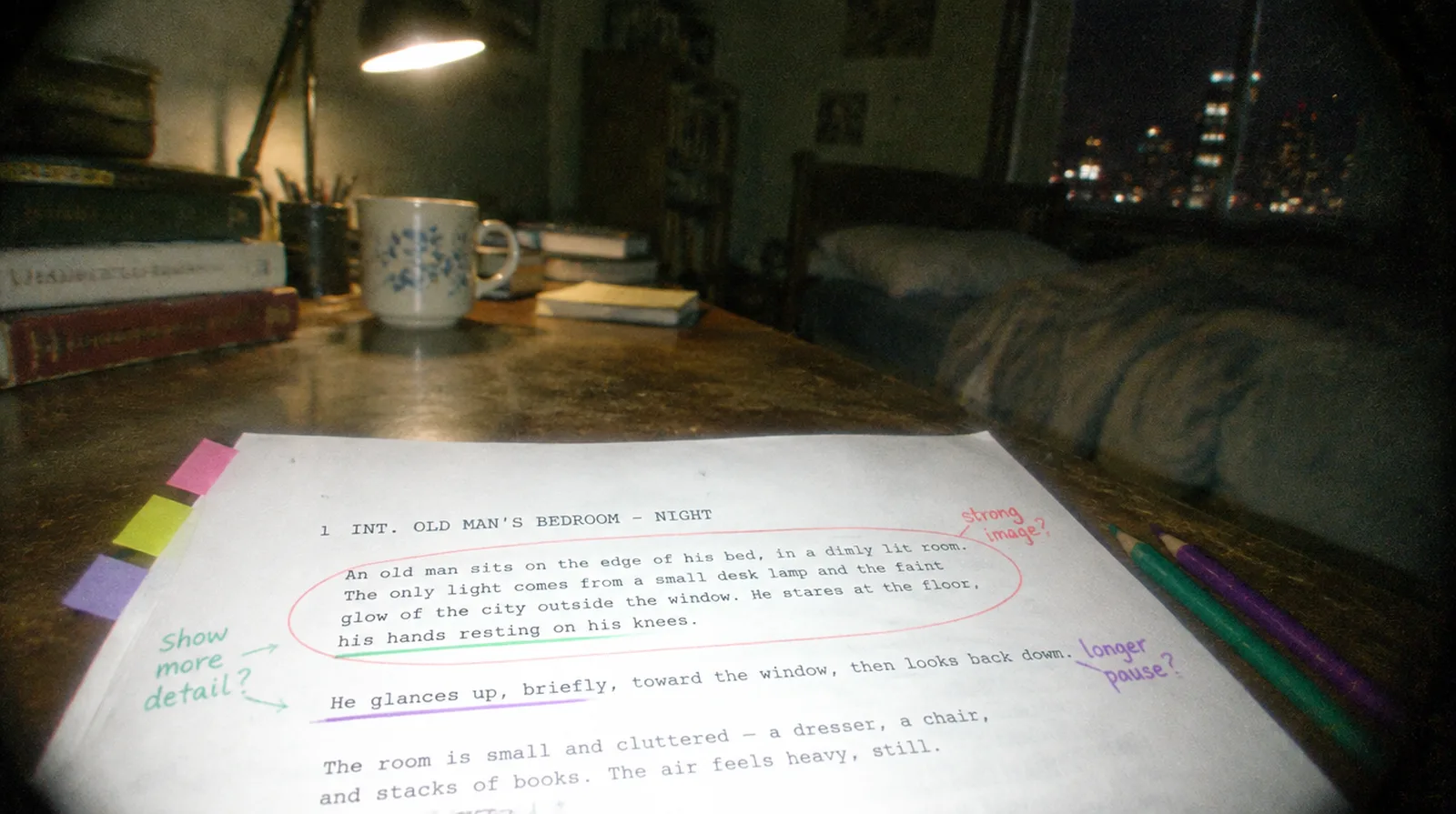
- Colored pencils or highlighters. A set of colored pencils or highlighters in multiple colors is enough.
- A pencil and an eraser. Scripts change.
If you prefer software, see the pre-production software guide.
The elements to tag (and the color code)
Each element gets a color so you can scan the script and see at a glance what a scene needs. This is a common convention. Scheduling software and productions vary, so the key point is to pick one set and use it everywhere.
| Element | Color | What it covers |
|---|---|---|
| Cast | Red | Speaking characters. Number them (1, 2, 3). |
| Stunts | Orange | Fights, falls, fire, driving, anything risky |
| Extras (silent) | Yellow | Background people with a bit of business |
| Extras (atmosphere) | Green | Crowds and general background |
| Props | Purple | Anything an actor handles |
| Set dressing | Dark green | Furniture and items that dress the set |
| Wardrobe | Circle | Costumes and costume changes |
| Makeup and hair | Asterisk | Wounds, aging, special looks |
| Vehicles and animals | Pink | Cars, bikes, and anything with a wrangler |
| Special effects | Blue | Practical effects, VFX, rain, smoke, blood |
| Sound and music | Brown | Sound effects, playback, on-screen music |
| Special equipment | Gray | Cranes, drones, underwater housings, extra lighting |
The difference between props and set dressing trips up many beginners. If an actor picks it up or uses it, it is a prop. If it just sits in the room, it is set dressing.
How to do a script breakdown, step by step
1. Read the whole script for story
Read it once, start to finish, without a pencil. You cannot tag a scene well if you do not know where it fits.
2. Number the scenes and note the basics
Give each scene a number if the script does not have one. For each, write the scene heading details: INT or EXT, the set or location, and day or night.
3. Read again and tag every element
Go scene by scene, with your colors. Underline, circle or highlight every element in the correct color. Read the action lines carefully: a prop or a sound is often hidden in a description, not in the dialogue.
4. Measure the page count in eighths
Divide each page into eight equal bands, about an inch each. Measure how much of the page each scene fills, and write it as a fraction. A scene that is one full page and a bit more is 1 1/8. A very short scene still counts as 1/8.
Eighths are the unit you use to schedule. Adding up the eighths for each day shows how much script you are planning to shoot. Track your own pace on the first days and adjust the rest of the schedule.
5. Fill in one breakdown sheet per scene
Copy the tagged elements onto a sheet: scene number, script page, page count, INT or EXT, day or night, set, a one or two line description, then the elements by category. The template below does exactly this.
6. Add production notes
Use the notes box for anything that is not an element but will affect the day: night interior, a child actor with limited hours, a location with noise problems, an effect that needs test time.
7. Use the sheets to build the schedule and budget
Group sheets by location, by actor, and by day or night. That grouping is the first draft of your schedule. Then price each element for the budget.
A worked example: a scene from "The Tell-Tale Heart"
Here is a short scene we adapted from Edgar Allan Poe's 1843 story "The Tell-Tale Heart," which is in the public domain. The scene text below is our own short adaptation, written in screenplay format.
1  INT. OLD MAN'S BEDROOM - NIGHT

   Pitch dark. A narrow bedroom with heavy curtains.
   A thread of light slides under the door.

   The NARRATOR (30s, dark coat, soft boots) eases the door
   open one inch at a time. He carries a covered LANTERN.

   In the iron bed, the OLD MAN (70s, pale nightshirt) sleeps.
   One eye is clouded and pale.

   The Narrator opens the lantern's shutter a crack. A thin
   beam crosses the room and lands on the clouded eye.

   The eye OPENS.

   NARRATOR (V.O.)
        (whispering)
   It was the eye. Only the eye.

   A low THUMPING begins. Slow. Then faster.

   The Old Man sits up in bed.

   OLD MAN
   Who's there?
Now we break it down. This is how the tagged scene looks on the sheet:
- Scene: 1, page: 1, page count: 5/8
- INT or EXT: INT, day or night: night
- Set: the Old Man's bedroom (dark, one window, heavy curtains)
- Cast: 1 Narrator (speaks, plus voice-over), 2 Old Man
- Stunts, extras: none
- Props: covered lantern with a shutter, bedcovers
- Set dressing: iron bed, nightstand, heavy curtains
- Wardrobe: Narrator in a dark coat and soft boots, Old Man in a pale nightshirt and cap
- Makeup: a clouded, pale eye for the Old Man (a special contact lens, marked with an asterisk)
- Special effects: the lantern beam (a practical effect), haze to show dust in the light
- Sound: floorboard creak, a heartbeat that builds to loud, the Narrator's whispered voice-over
- Special equipment: a macro lens or diopter for the close-up on the eye, a dimmable bulb for the lantern
- Production notes: night interior in a controlled room with blackout, extra time to fit and test the eye lens, quiet set for the sound passes
Even for a half-page scene, the breakdown finds the things that cost time: a special lens for the actor, a heartbeat that has to be designed, a close-up that needs a macro lens. That is exactly what you want to discover before the shoot day.
The lantern beam is also a lighting decision, not only a prop. When you plan how to shape a single hard source in a dark room, our three-point lighting guide explains key, fill and backlight, and when to break the rules. And since the heartbeat and whisper are part of the sound plan, see film sound for beginners for recording clean dialogue and room tone.
A free script breakdown template (PDF)
We made a printable PDF with three pages:
- A blank breakdown sheet with all twelve element boxes, the scene fields, and a notes area. Print one per scene.
- The filled example above, so you can see how the sheet looks with real entries.
- A color key and page count guide, with the workflow on one page.
Download the free script breakdown template (PDF)
The sheet prints on standard US Letter paper. If you work on a tablet, you can fill it in with a stylus.
Paper or software?
For a short film, paper is enough. A 10-page script is only about a dozen sheets, and you learn the script better by doing it by hand.
Software helps when:
- The script is a feature or a long series.
- You need to sort scenes by location, actor or day or night.
- The script keeps changing, and you need elements to update.
- You want the schedule to build from the breakdown automatically.
Popular scheduling tools include Movie Magic Scheduling, StudioBinder and Celtx. Our pre-production software guide compares them. Whatever you use, the thinking is the same, so learning it on paper first makes you better at the software.
Common script breakdown mistakes
- Tagging on the first read. You miss the story and misjudge what matters. Read once for story first.
- Missing hidden elements. Props, sounds and effects often hide in action lines. Read the descriptions slowly.
- Mixing up props and set dressing. If an actor handles it, it is a prop.
- Forgetting the day or night and INT or EXT details. A night exterior can double your lighting needs.
- Skipping page counts. Without eighths, you cannot tell if a day is realistic.
- Not updating the sheets when the script changes. Keep a revision date on each sheet.
- Treating the breakdown as the director's job alone. Share it with the department heads and ask what they see.
- Ignoring the cost of small things. A single animal, a stunt or a special lens can change the day's plan.
Quick checklist
- Have you read the whole script once for story?
- Are all scenes numbered?
- Does each scene have INT or EXT, set, and day or night?
- Are all elements tagged in one consistent color code?
- Is each scene measured in eighths?
- Is there one completed sheet per scene?
- Did you note anything unusual in production notes?
- Have you shared the sheets with your producer and department heads?
Final thoughts
A script breakdown turns a story into a plan. It takes patience, but it saves you from the worst kind of problem on a shoot: the one you could have seen coming. Print the template, break down your first scene, and see how many things you find that were not obvious on the page.
Once the sheets are done, move on to the shot list, the schedule and the call sheet. If money is tight, our guide to guerrilla filmmaking shows how to cut an expensive scene down to what you can afford.
Frequently asked questions
What is a script breakdown in film?
A script breakdown is a scene-by-scene analysis of a screenplay that lists every element needed to film it, such as cast, props, wardrobe, locations, vehicles, sound and special effects. Producers and assistant directors use it to build the schedule, budget and call sheets.
Who does the script breakdown?
On bigger productions it is usually done by the first assistant director or the production manager. On small productions, the director, the producer or whoever is scheduling the shoot does it. Even if someone else is doing it, the director should read the results.
What does page count in eighths mean?
Each script page is divided into eight equal parts, and each scene is measured by how many eighths it fills. A scene that takes up half a page is 4/8. A scene shorter than one eighth is still counted as 1/8. Eighths make it easy to add up how much script you plan to shoot each day.
What are the colors used in a script breakdown?
A common convention marks cast in red, stunts in orange, extras in yellow or green, props in purple, vehicles and animals in pink, special effects in blue, and sound or music in brown. Wardrobe is often circled and makeup marked with an asterisk. Conventions vary, so pick one set and keep it on every page.
How long does a script breakdown take?
For a short film of 10 pages, plan an hour or two. A feature script can take several days if done by hand. The first pass always takes the longest, because you are learning the script as well as tagging it.
Do I need software for a script breakdown?
No. A printed script, colored pencils and a breakdown sheet are enough for a short film. Software becomes useful when you need to sort scenes by location or actor, and automatically build a schedule.